Attendance, Leave Rules & Payroll in One Living System.
Upload attendance logs from your office biometric terminal, query live rules and payroll with the built-in AI Portal Assistant, approve leave and WFH shifts online, and issue monthly salary slips for every employee at once.
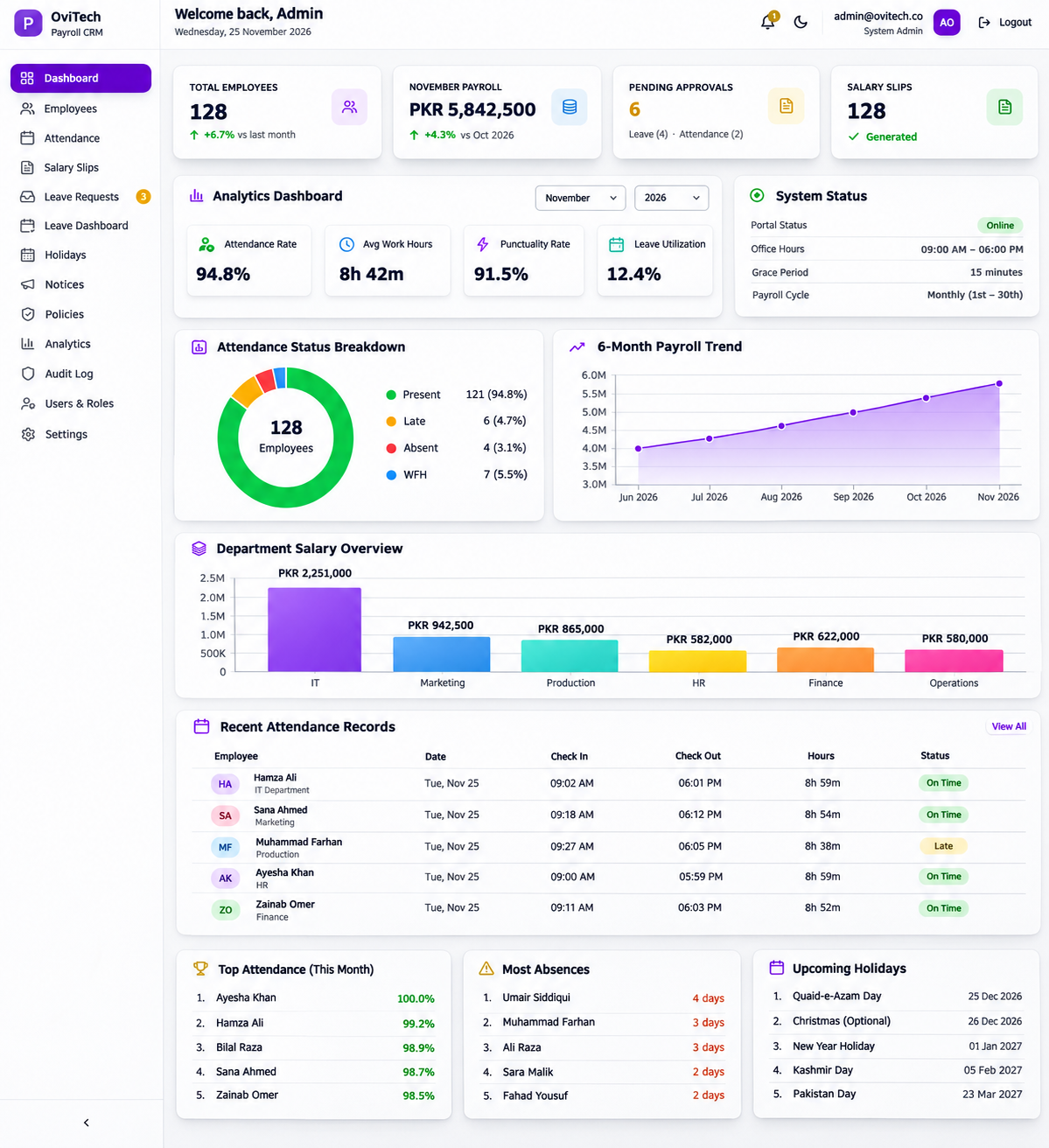
Instant Answers Directly from Your Live HR & Payroll Records.
Ask the built-in portal assistant instead of digging through spreadsheets or multiple screens. Responses pull straight from live attendance, leave quotas, salary statements, and signed policy records.
Two staff members crossed or approached the 3-violation threshold in November 2026. Hira Tariq reached 3 violations (1 salary day deducted automatically) and Muzammil Javed sits at 2 violations.
Every Screen Feeds the Next — From Morning Punch to Salary Slip.
Select any workflow module below to inspect how attendance, leave approvals, and payroll calculations stay synchronized.
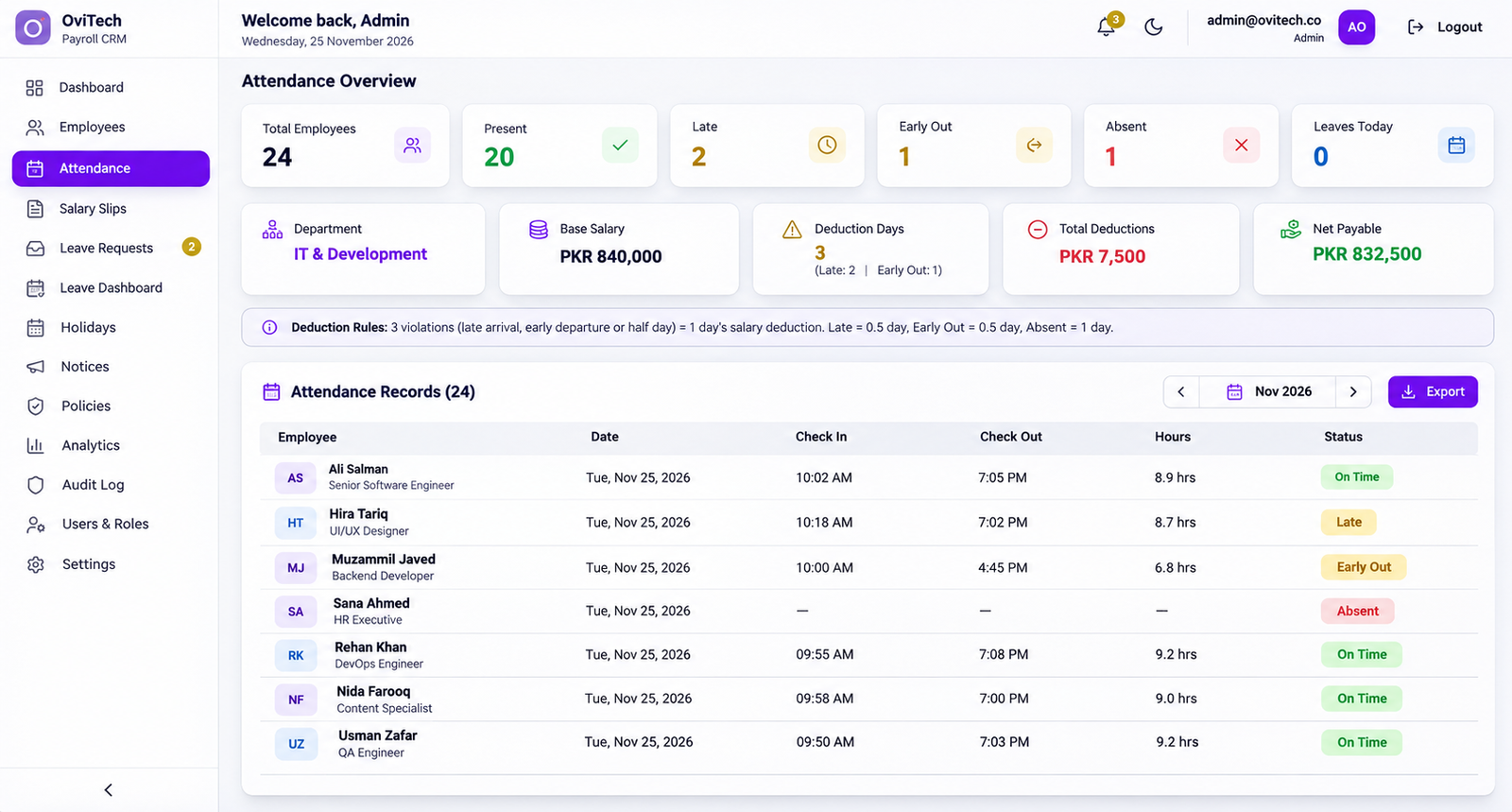
Upload the attendance export from your office fingerprint terminal. OviTech Portal pairs check-ins and check-outs and classifies each shift automatically.
Generate all employee salary slips simultaneously with a full review screen before committing. Income tax, absence and violation deductions calculate automatically.
Staff view leave quota, download salary slip PDFs, submit casual, sick, half-day or WFH requests, and clock in with a live timer on approved WFH days.
Yearly leave quota resets cleanly every 1 January. Upload handbook PDFs for digital employee sign-off and monitor an audit trail of every approval or adjustment.
Consistent Deduction Rules Without Arguments at Month-End.
Every late arrival, early exit, half day, and unexcused absence follows one transparent company policy. Test the exact calculation logic below.
Late arrivals, early departures, and half days count strictly toward the 3-violation salary rule.
Unapproved absences consume remaining yearly leave balance before deducting a day's pay.
Monthly Deduction Rule Simulator
Every Operational Rule in One Audit-Ready Directory.
Biometric attendance import
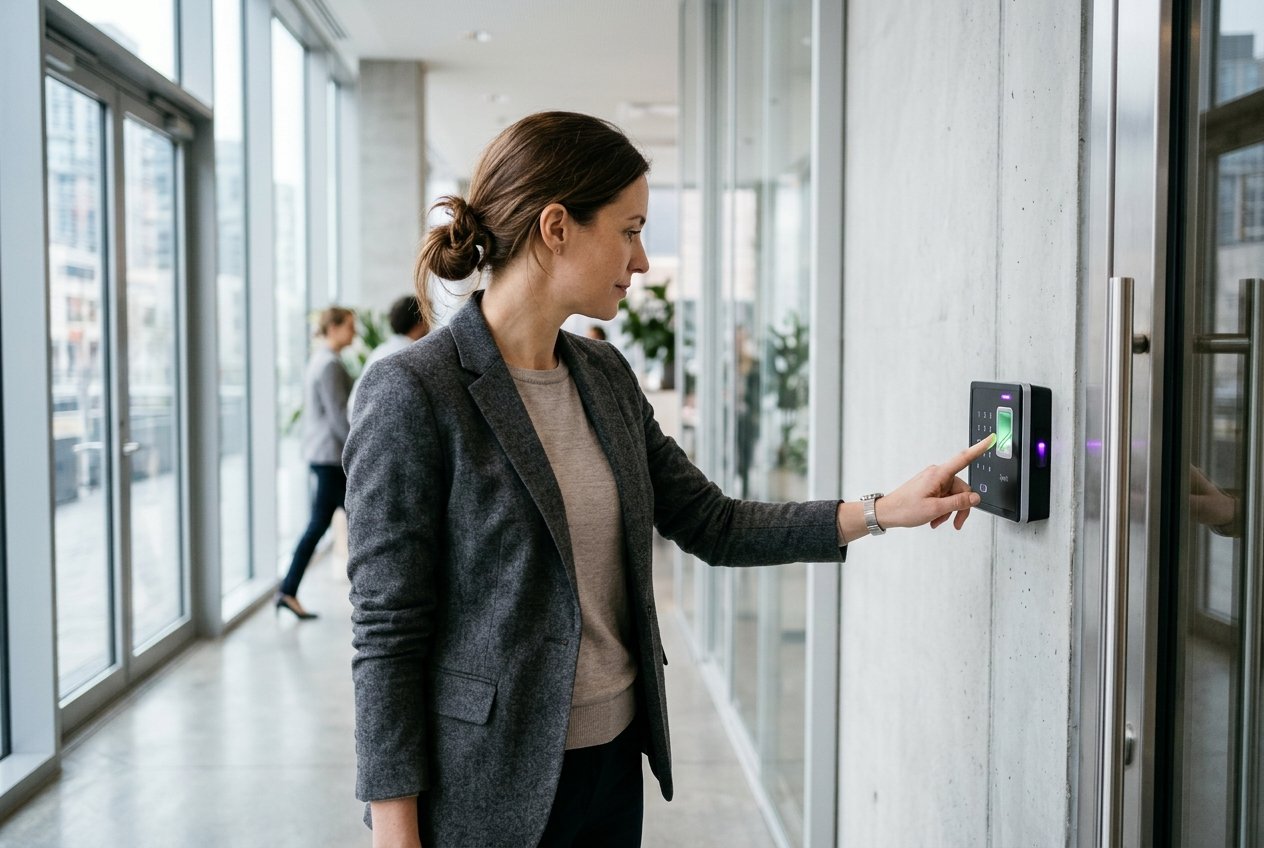
Upload the attendance file exported from your office biometric fingerprint machine. The portal reads check-ins and check-outs and marks each day as on time, late, early out or absent.
One-click payroll
Generate a month's salary slips for every employee at once, with a full preview before saving. Deductions for absences and late arrivals are calculated automatically from attendance and leave records, and income tax is included.
Leave management
Employees apply online; admins approve or reject with remarks. Approved leave flows straight into attendance and payroll, with no manual re-entry.
Leave balance tracking
Each employee's yearly leave quota is tracked automatically and resets every 1 January. Admins can make manual adjustments, which are kept logged with reason and date.
Fair, consistent deduction rules
Lates, early outs and half days are tracked as violations: every three deducts one day's salary. Unexcused absences use remaining leave balance first and only deduct from pay once quota runs out.
Holidays and exceptions
Set public and company holidays so days off are never counted as absences. HR can also excuse individual days (such as leave, work from home, half day, late or early out) per employee.
Employee records
Keep complete employee profiles, departments, designations, joining dates, probation tracking and full salary history — raises take effect automatically from the right month.
Former employees
Deactivate leavers so their login is blocked immediately while all historical records stay intact. Reactivate anytime if they rejoin.
Company notices
Publish announcements to all employees or selected staff, with priority levels and expiry dates.
Policy sign-off
Upload company policy PDFs. Employees read and digitally sign them inside the portal, and admins see at a glance who has signed and who has not.
Analytics and leave dashboard
Visual overviews and charts of team attendance, leave balances and payroll numbers.
Audit log
Every key action — leave approvals, notices, status changes — is recorded with who did it and when.
Roles and access
Admin and employee roles keep controls with HR while giving staff self-service, managed from the Users & Roles screen.
Biometric Attendance Import
Fingerprint terminal log parsing · On Time, Late, Early Out & Absent status tagging


Clear Payslips, Leave Requests & WFH Timing — Zero HR Chase Messages.
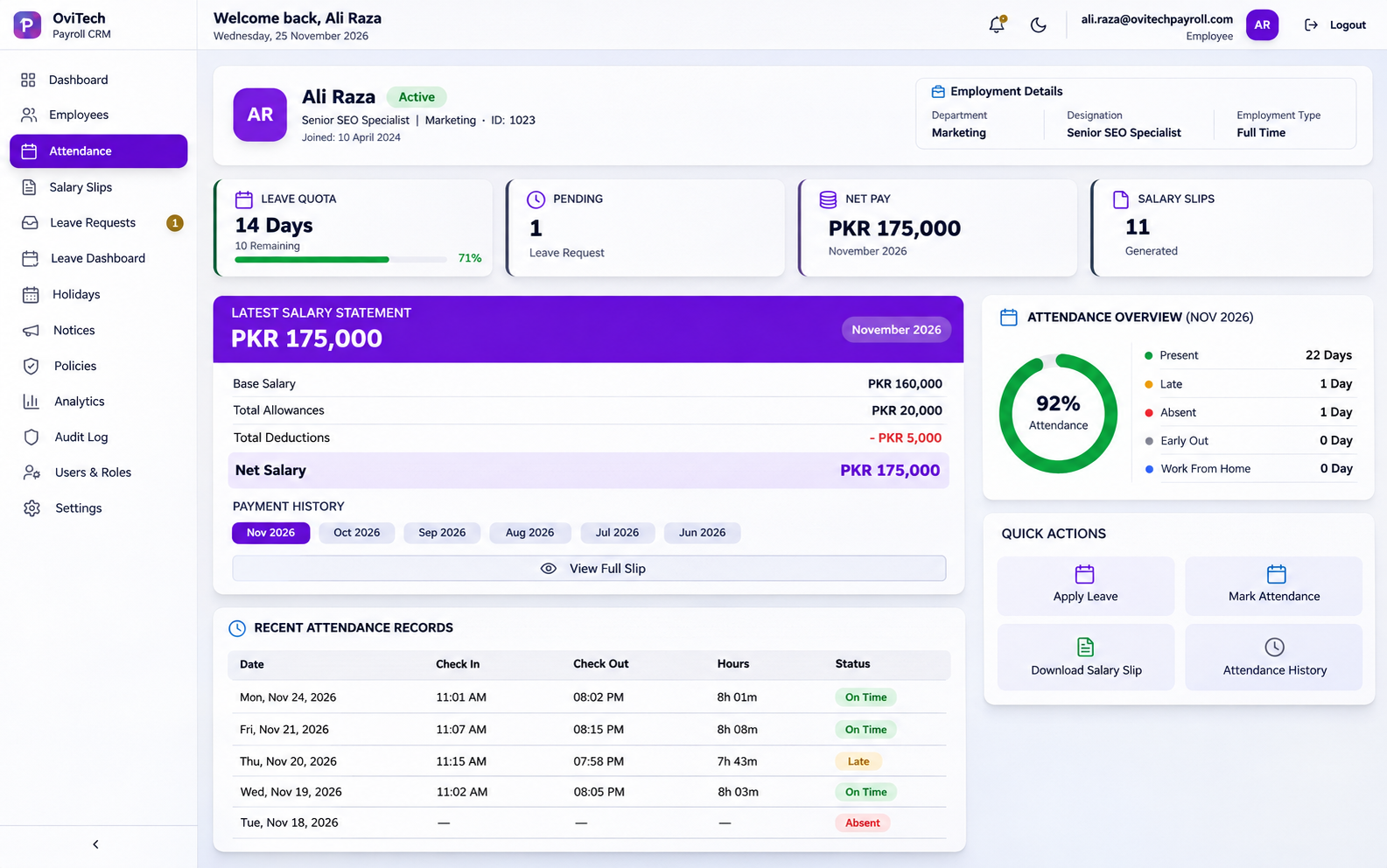
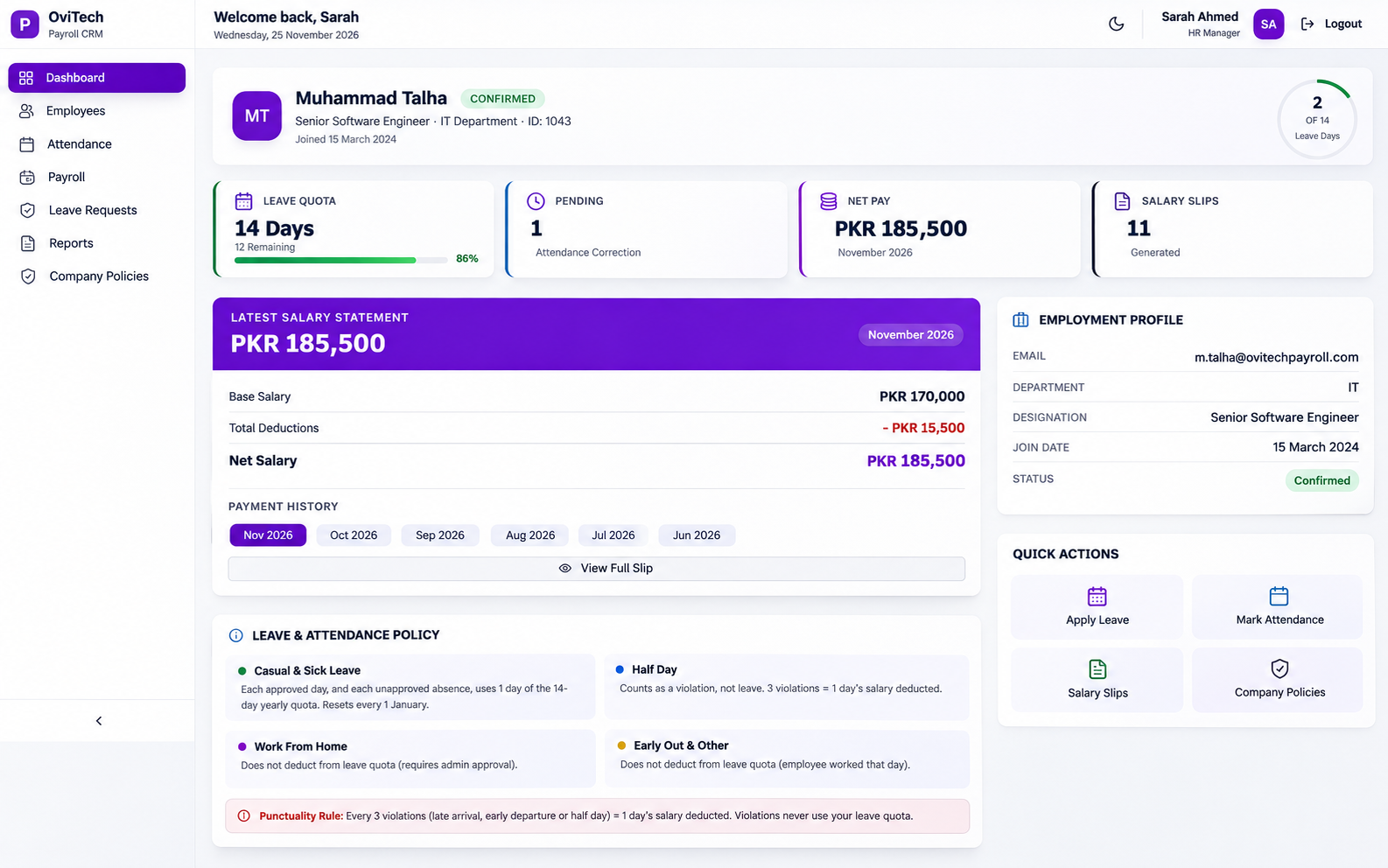
Employees log in to see their exact leave balance, download monthly salary slip PDFs, view holidays and approved WFH days, sign company policies, and clock in remotely when approved.
Leave balance, net pay & profile
At-a-glance leave balance, latest net pay, pending requests and personal employment details in one clean view.
Earnings, deductions & PDF export
View every month's breakdown of earnings and deductions and download formatted PDFs on demand.
Holidays, leave & WFH month view
Full month-by-month attendance history showing company holidays, approved leave days and WFH dates.
Casual, sick, half-day & WFH requests
Submit casual, sick, half-day, WFH or other requests, track status in real time, and see automatic leave-balance checks.
Check in & out with live timer
On approved WFH days, staff check in and check out directly inside the portal alongside a live running timer.
Announcements & digital signatures
Read targeted company announcements and review and sign uploaded policy documents right inside the portal.
Built for Desktop & Mobile, Light & Dark Mode.
Hover to pause the live screen reel, or click any frame to inspect crisp full-screen interface details.

Strict Boundaries Around Salary & Staff History.
Private Record Isolation
Each employee only sees their own attendance, leave and pay records.
HR-Only Account Creation
Accounts are created strictly by HR — there is no open public sign-up.
Instant Leaver Lockout
Staff who leave lose login access the moment they are marked inactive.
Protected Pay History
Payroll and attendance history stay protected against accidental deletion.
Responsive & Dual Theme
Works smoothly on desktop and mobile, in both light and dark mode.
Straight Answers Before You Switch.
Custom company rules, biometric export formats, and private single-tenant hosting are configured cleanly during onboarding.
Export your attendance log from your office biometric device and upload it straight into the OviTech portal. The system parses every employee's check-ins and check-outs per date, flags each workday as On Time, Late, Early Out or Absent, and lets HR review or excuse individual days before running payroll.
Out of the box, late arrivals, early departures and half days group cleanly into 3-violation triggers while yearly quotas reset every 1 January. When deploying for your company, OviTech engineers align grace periods, tax calculations, and shift policies to match your handbook.
Once an admin approves leave with remarks, attendance dates update immediately without manual spreadsheets. Mid-year compensation updates stay in each employee's timeline so payroll runs apply raises starting automatically from the exact effective month.
Yes. Deactivating a former employee blocks their portal login immediately while past salary slips, attendance logs, and policy signatures remain intact and protected against accidental deletion. If they rejoin later, HR can reactivate their profile anytime.

See OviTech HRMS & Payroll Run Live with Your Own Shift Rules.
In 20 minutes we walk through biometric attendance import, the 3-violation payroll preview, WFH self-service, and digital policy sign-off tailored to your headcount.
Book Your Portal Walkthrough
Share your team size and contact details — an OviTech engineer will reply with demo slots.