Most website owners spend hours picking the right images for their pages. They resize them, compress them, rename the files. Then they upload the image and leave the alt text field completely blank.
That blank field is costing them traffic.
Alt text for SEO is one of those small technical details that carries serious weight in how Google reads, indexes, and ranks your content. It also plays a huge role in making your site usable for people who rely on screen readers. Whether you run a blog, an ecommerce store, or a business website, getting your image alt text right is worth every minute you put into it.
This guide covers everything from the basics to the practical steps you can start using today.
What Is Alt Text?
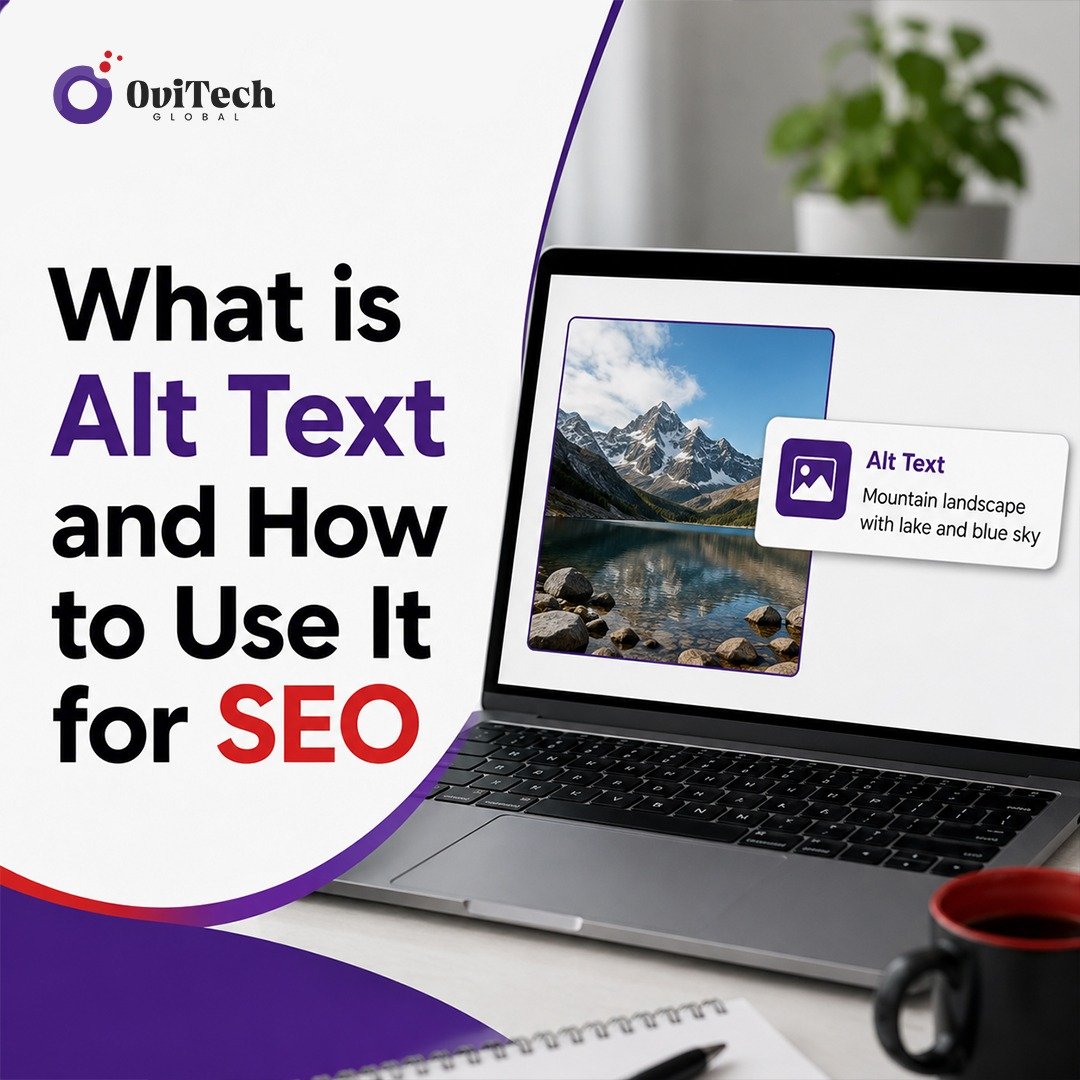
Alt text (short for alternative text) is a written description you add to an image on a webpage. It lives inside the HTML alt attribute of an image tag. You cannot see it on the page itself, but it is there in the code, and both search engines and screen readers read it.
Here is what the HTML looks like:
<img src="red-running-shoes.jpg" alt="Red running shoes for men on a white background">
That small piece of text tells Google what the image is about. It also tells a visually impaired visitor using a screen reader exactly what they are looking at.
If an image fails to load for any reason, the alt text displays in its place. That way, users still know what was supposed to be there. It is a safety net for both people and search bots.
Why Alt Text for SEO Actually Matters
Google cannot see images the way a human does. It relies on text signals to understand visual content. The HTML alt attribute is one of the strongest signals you can give it.
When you write good alt text, you help Google:
- Understand the context of your image
- Connect the image to the topic of your page
- Index your image in Google Images search results
- Rank your page more accurately for relevant searches
Google Images is a legitimate source of organic traffic. Millions of people search for images every day and click through to the website where the image lives. If your product photos, blog graphics, or infographics are properly optimized with alt text for SEO, you have a real shot at capturing that traffic.
Beyond ranking, alt text is also part of technical SEO and on-page SEO best practices. Auditing tools like Google Search Console, Screaming Frog, and Ahrefs flag missing alt text as an issue because it signals incomplete optimization. A page full of images without alt text is a page that search engines struggle to fully understand.
Image Accessibility: The Human Side of Alt Text
Before getting into strategy, it is worth being honest about something. Alt text was not invented for SEO. It was invented for accessibility.
Approximately 1 in 4 adults in the United States lives with some form of disability. For people with visual impairments, screen readers are how they experience the web. A screen reader reads the alt text of every image out loud so the user can understand what the image shows.
When you skip alt text, you are not just leaving traffic on the table. You are shutting out a portion of your audience completely.
Image accessibility is also tied to legal compliance in many countries. WCAG (Web Content Accessibility Guidelines) require that meaningful images have descriptive alt text. Businesses that ignore this can face legal challenges, especially in the US under the Americans with Disabilities Act.
So when you sit down to write alt text, think about both audiences: Google crawlers and real human beings who need that description to understand your content.
How to Write Alt Text That Works
Writing good alt text is simpler than most people think. The goal is to describe the image clearly and concisely, while including your target keyword where it fits naturally.
Here are the core rules:
1. Be specific and descriptive
Do not write "image of shoes." Write "navy blue leather Oxford shoes for men." The more specific you are, the more useful the alt text is to both users and search engines.
2. Keep it short
Most SEO best practices recommend keeping alt text under 125 characters. Screen readers often cut off text after that point, so longer descriptions get ignored.
3. Include your target keyword when it makes sense
If your page is about men's leather shoes and the image shows a pair, it is completely natural to include "leather shoes" in the alt text. Do not force it. If the image is a decorative background with no informational value, a blank alt attribute or a generic description is actually the right call.
4. Skip filler phrases
Never start alt text with "image of" or "picture of." Google already knows it is an image. Start directly with the description.
5. Write for the person who cannot see it
Ask yourself: if I could not see this image, what would I need to know about it? That answer is your alt text.
Alt Text Examples: Good vs Bad
Seeing the difference in real examples makes this much easier to apply.
Bad: alt="shoes"
Good: alt="Red leather running shoes with white soles on a gym floor"
Bad: alt="image of woman working"
Good: alt="Woman working on a laptop in a bright home office setting"
Bad: alt="SEO tips infographic" (too vague)
Good: alt="Infographic showing 7 on-page SEO tips including title tags, meta descriptions, and alt text"
Bad: alt="alt text for SEO alt text SEO image alt text" (keyword stuffing)
Good: alt="Alt text example showing proper use of image alt attributes for SEO"
The difference comes down to specificity and intent. Write like you are describing the image to someone on a phone call.
How to Use Alt Text Across Different Image Types
Not every image on your site serves the same purpose. Your approach to SEO image optimization should match what the image is actually doing on the page.
Product Images
For ecommerce sites, product images are your biggest opportunity. Include the product name, color, key features, and any detail that helps someone searching for that exact item. This directly supports Google Images ranking and helps your pages show up for highly specific product searches.
Example: alt="Matte black stainless steel insulated water bottle 32oz with loop lid"
Blog Post Featured Images
For editorial images and featured graphics, describe what is shown and tie it to the article topic. You do not need to repeat the article title word for word, but the alt text should match the subject of the page.
Example: alt="Blogger writing a content calendar on a whiteboard in a small office"
Infographics
Infographics are tricky because they contain a lot of information. Use the alt text to describe the topic and key takeaway. You can also write a longer text description below the infographic in the article body to cover the full content.
Example: alt="Infographic on image metadata best practices for SEO including file name, alt text, and caption"
Decorative Images
If an image is purely decorative and adds no informational value (like a background texture or a divider line), use an empty alt attribute: alt="". This tells screen readers to skip it, which actually improves the experience for visually impaired users.
Team and Headshot Photos
For author or team photos, describe the person and their role. This is especially important for E-E-A-T signals.
Example: alt="Sarah Mitchell, senior content strategist, smiling in a professional headshot"
Alt Text and Core Web Vitals
There is an indirect relationship between alt text and Core Web Vitals, particularly around Cumulative Layout Shift (CLS). When images load without defined dimensions, they cause layout shifts that hurt your CLS score. While alt text alone does not fix this, it is part of a broader approach to image metadata and technical SEO that Google evaluates holistically.
Good image optimization techniques combine:
- Descriptive alt text
- Proper file naming (use descriptive, keyword-rich file names)
- Image compression to reduce file size
- Defined width and height attributes in HTML to prevent layout shift
- Modern image formats like WebP for faster loading
All of these work together to signal to Google that your site takes image quality seriously, which supports both rankings and user experience scores.
Where to Add Alt Text: Platform-by-Platform Guide
Knowing what to write is half the battle. Here is where you actually add it.
WordPress
When you upload an image in WordPress, there is a dedicated "Alt Text" field in the Attachment Details panel. Fill it in before inserting the image. If you use a page builder like Elementor or Gutenberg blocks, there is always an alt text field in the image settings panel.
Shopify
In Shopify, go to your product listing and click on any product image. A pop-up will appear with an "Image alt text" field. Fill it in for every product image, not just the featured one.
Webflow
In Webflow, click on any image element on the canvas, then go to the Settings panel on the right. There is an "Alt Text" field. You can also set it to pull from a CMS field if you are building a dynamic collection.
Custom HTML/CSS Sites
In a hand-coded site, you add alt text directly in the <img> tag using the alt attribute, as shown in the earlier HTML example. Make it a habit to never write an <img> tag without it.
Next.js and Astro.js
If you are using the Next.js <Image /> component, the alt prop is required. The build will throw a warning if you omit it. Same idea applies when using image components in Astro.js projects.
Common Alt Text Mistakes to Avoid
Even developers and experienced marketers get these wrong. Watch out for:
Leaving alt text blank. This is the number one mistake. Even a basic description is better than nothing.
Keyword stuffing. Cramming multiple keywords into alt text does not help your rankings. It looks spammy and can hurt you. One natural use of your target keyword is enough.
Using file names as alt text. Alt text that reads IMG_20240112_093214.jpg tells nobody anything. Rename your files descriptively too, but keep alt text as a separate, human-readable description.
Writing identical alt text for every image. If you have five images of the same product from different angles, write unique alt text for each one that describes what that specific angle shows.
Describing irrelevant details. You do not need to mention image colors or lighting unless it is relevant. Focus on what matters for context.
Image Metadata Beyond Alt Text
Alt text gets most of the attention, but image metadata has a few more layers worth knowing about.
File name: Rename your image files before uploading. Instead of DSC00312.jpg, use blue-denim-jacket-front-view.jpg. This is another signal Google uses to understand the image.
Image title: The title attribute in an image tag is optional, but it appears as a tooltip when users hover over the image. It is less important than alt text for SEO but adds context.
Structured data: For certain types of images, especially product images and recipe photos, adding structured data (schema markup) helps Google display your images as rich results in search.
Captions: Image captions are visible text that appears below an image. Google reads captions and they contribute to your on-page SEO. They also improve user engagement because people read captions even when they skim articles.
None of these replace alt text. They complement it.
A Quick SEO Checklist for Image Optimization
Before you publish any page, run through this list for every image:
- File name is descriptive (no generic camera file names)
- Alt text is written and specific
- Alt text is under 125 characters
- Target keyword is included naturally in at least one alt text
- No keyword stuffing in any alt text
- Decorative images use empty alt attributes
- Image is compressed (use tools like Squoosh, TinyPNG, or ShortPixel)
- Image dimensions are defined in HTML to prevent layout shift
- Caption is added where relevant
This takes two minutes per image and pays off in both SEO and accessibility.
FAQs About Alt Text for SEO
Q1: Does every image on a webpage need alt text?
Not exactly. Images that carry meaning, like product photos, blog graphics, charts, or illustrations, need descriptive alt text. Decorative images that are purely visual (backgrounds, borders, dividers) should have an empty alt attribute (alt="") so screen readers skip over them. The key question is: does this image communicate information? If yes, write alt text.
Q2: How many times should I use my focus keyword in alt text across a page?
Once or twice is enough. If you have one image that directly shows what your keyword describes, use the keyword naturally in that alt text. For all other images, write accurate descriptions without forcing the keyword in. Google is smart enough to understand relevance from context. Repetition across multiple alt texts looks manipulative.
Q3: Can alt text alone improve my Google Images ranking?
It helps significantly, but it works best as part of a complete approach to SEO image optimization. File name, page relevance, image quality, surrounding text, and structured data all contribute to how Google Images ranks your content. Alt text is one of the most direct signals, but it is not the only one.
Q4: What is the difference between alt text and an image title?
Alt text (the alt attribute) is essential for SEO and accessibility. It is what screen readers announce, what appears when an image fails to load, and what search engines use to understand image content. The image title (the title attribute) is optional and shows up as a hover tooltip in most browsers. It has very little SEO value but can add minor context. Always prioritize writing good alt text. The title is a bonus, not a priority.
Written for businesses, bloggers, and developers who want to get more from every image they publish.